 |
Creating Command Buttons or Objects |
Support Team: 1300 797 638 |
|
Creating Command Buttons or Objects |
Support Team: 1300 797 638 |

Table Keys |
Table Booking |
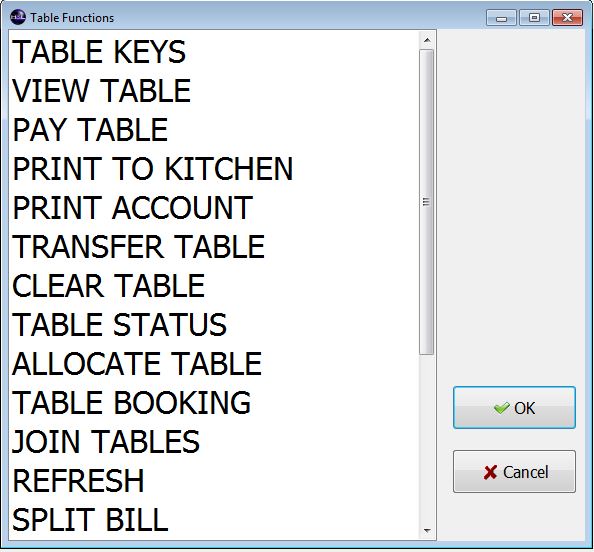 |
View Table |
Join Tables |
|
Pay Table |
Refresh |
|
Print to Kitchen |
Split Bill |
|
Print Account |
Load Floor Plan |
|
Transfer Table |
Clock On/Off |
|
Clear Table |
Cash Count |
|
Table Status |
Enter Tips |
|
Allocate Table |
|